How to Set Up a Charging Station for Your Devices at Home

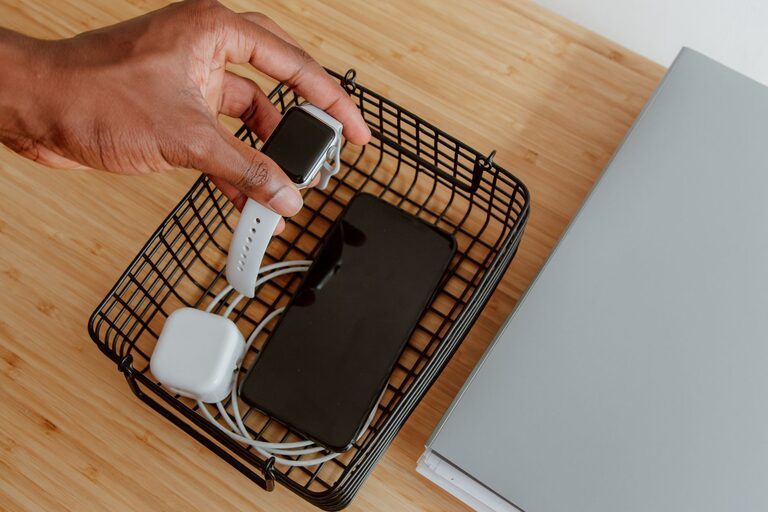
Setting up a dedicated charging station for your devices can help keep your space organized and ensure your gadgets are always powered up when you need them. Whether you have smartphones, tablets, smartwatches, or wireless earbuds, a well-planned charging station makes managing cords and devices simple and efficient.
In this guide, we’ll walk you through everything you need to create a functional and stylish charging station at home.
Why You Should Have a Charging Station
With more electronic devices in our daily lives, charging cords and adapters can quickly become tangled and scattered around your home. A charging station:
– Centralizes device charging in one spot
– Reduces clutter and tangled cords
– Protects devices from damage caused by improper storage
– Makes it easy to find and grab devices when on the go
Choose the Right Location
The first step is finding the best spot in your home for the charging station. Consider these tips:
– Accessibility: Pick a place that’s easy for everyone to reach, like a living room side table, kitchen counter, or bedroom dresser.
– Power Source: Ensure there’s a nearby outlet to plug in the charging station.
– Ventilation: Avoid cramped areas that might cause devices to overheat. Avoid direct sunlight.
– Minimal Distraction: Some prefer a spot that won’t disturb sleep or relaxation, like away from the bed.
Select Your Charging Equipment
The core of your charging station is the equipment you use to power your devices. Some popular options include:
Charging Hubs and Stations
– Multi-port USB charging hubs can charge several devices at once.
– Wireless charging pads offer cable-free charging for compatible devices.
– Look for safety features such as surge protection and overcharge prevention.
Cables and Adapters
– Use the appropriate cables (USB-C, Lightning, Micro-USB) for each device.
– Consider durable, tangle-free cables to prolong lifespan.
– Label cables if many look alike to avoid confusion.
Organizers and Holders
– Use stands or docking stations to keep devices upright and accessible.
– Cable management tools like clips, sleeves, or boxes prevent tangles.
– Bins or trays can keep smaller items like earbuds or chargers in one place.
Step-by-Step Setup Guide
1. Gather Your Devices and Charging Gear
Collect all the devices you want to charge—phones, tablets, headphones, smartwatches—and their cables and adapters.
2. Clear and Clean the Space
Prepare your charging station area by cleaning the surface and removing anything unnecessary.
3. Arrange Power Strips and Hubs
Plug in charging hubs or power strips close to the outlet. Use ones with enough outlets for all devices and any future additions.
4. Organize Cables
Use cable clips or ties to route cables neatly. Hide excess cable length inside a cable box or under the table.
5. Position Devices and Accessories
Place devices on charging stands or pads. Arrange smaller items in trays or bins nearby for easy access.
6. Test Your Setup
Plug in all devices to confirm they charge properly. Adjust cables or locations to improve comfort or organization.
Tips for Maintenance and Safety
– Regularly clean the area to keep dust and debris away.
– Unplug devices once fully charged to extend battery life.
– Avoid overloading power strips to reduce fire risk.
– Check cables periodically for wear and replace damaged ones.
– Keep liquids away from the charging station to avoid damage.
Creative Ideas to Personalize Your Charging Station
– Use a decorative tray or box to match your room style.
– Add small labels or color coding for each device or cable.
– Incorporate LED lights or plants for a cozy feel.
– Build a DIY charging station using repurposed wood or organizers.
Conclusion
Setting up a charging station is an easy way to streamline your daily charging routine while keeping your home tidy. The key is choosing the right location, quality charging equipment, and thoughtful organization. With a little planning, your charging station will become a convenient and stylish part of your home.
Start today, and say goodbye to messy cords and low batteries!