
Beginner Tips for Taking Better Phone Photos Every Time

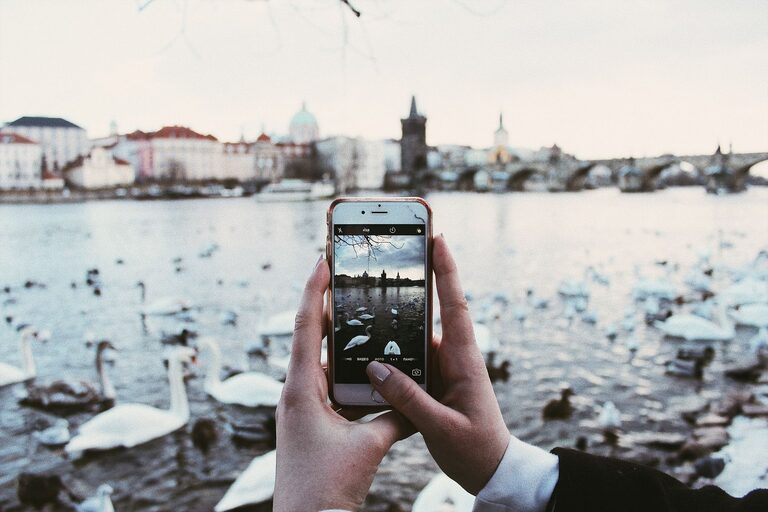
Taking great photos with your phone doesn’t require expensive equipment or professional skills. With some key tips and a bit of practice, you can turn everyday moments into memorable images. Whether you’re using an iPhone or an Android device, these beginner tips will help you take better phone photos every time you press the shutter.
Understand Your Phone Camera
Before diving into techniques, spend a few minutes exploring your phone’s camera app. Modern smartphones have many features such as:
– Different lenses: Wide-angle, ultra-wide, and telephoto lenses.
– Camera modes: Portrait, panorama, night mode, and more.
– Settings: Exposure adjustment, focus control, gridlines, and HDR.
Knowing what your camera offers lets you make the most of it.
Keep Your Lens Clean
It might sound obvious, but a dirty lens can make photos blurry or hazy. Swipe the lens gently with a clean microfiber cloth before shooting. Avoid using rough materials that can scratch the glass.
Use Natural Light Whenever Possible
Lighting is one of the most important factors in photography.
– Shoot in daylight: Natural light makes colors pop and reduces noise in photos.
– Avoid harsh overhead light: Midday sun can create strong shadows; try shooting early morning or late afternoon for softer light.
– Use shade: If the sun is too bright, find shady spots to get even lighting without harsh contrasts.
– Avoid flash: Phone flashes can create unnatural lighting and harsh shadows.
Compose Your Photos Thoughtfully
Good composition turns simple subjects into interesting images. Here are some guidelines:
Use the Rule of Thirds
Turn on the gridlines in your camera settings, which divide the screen into nine equal parts. Position your subject along the lines or where they intersect for a balanced look.
Pay Attention to Backgrounds
A cluttered or distracting background can take attention away from your subject. Look for clean, simple backgrounds or adjust your shooting angle.
Get Closer
Phones don’t have fantastic zooms, so physically move closer to your subject instead of zooming in digitally, which reduces image quality.
Frame Your Subject
Use natural elements like trees, doorways, or windows to frame your subject and add depth.
Look for Leading Lines
Lines that lead the viewer’s eye into the photo (like roads, fences, or bridges) make your shots more dynamic.
Focus and Exposure Control
Most smartphones let you tap the screen where you want the camera to focus. Tap on your subject to make sure it is sharp. You can usually adjust the exposure (brightness) by sliding your finger up or down after tapping to focus.
Steady Your Shot
Blurry photos often happen when the camera moves during capture. To avoid this:
– Hold your phone with both hands.
– Lean against a stable surface.
– Use a tripod or phone stand if possible.
If available, use the timer mode to reduce shake caused by pressing the shutter button.
Experiment with Different Angles and Perspectives
Don’t just shoot from eye level. Try:
– Shooting from low angles to make subjects look taller or dramatic.
– Taking overhead shots for flat lays or group photos.
– Capturing reflections in water, mirrors, or glass.
Varied perspectives make your photos more interesting.
Edit Your Photos Lightly
After capturing your shot, a little editing can enhance it. Use your phone’s built-in editor or free apps like Snapseed or VSCO to:
– Adjust brightness, contrast, and saturation.
– Crop to improve composition.
– Straighten tilted horizons.
– Apply filters sparingly for a natural look.
Avoid over-editing, which can make photos look unnatural.
Practice Regularly
Photography is a skill that improves with practice. Challenge yourself by photographing different subjects like nature, architecture, people, or food. Review your photos and see what works and what can be improved.
Useful Apps to Explore
Besides the default camera app, some apps offer more control or creative options:
– ProCamera, Camera+ (iOS): Manual controls and advanced settings.
– Open Camera, Adobe Lightroom (Android): Exposure, focus, and color editing.
– Snapseed: Powerful free editing app with user-friendly tools.
Summary
Better phone photos are within everyone’s reach. Remember to:
– Keep your lens clean.
– Use natural light.
– Compose your shots thoughtfully.
– Control focus and exposure.
– Hold your phone steady.
– Try new angles.
– Edit lightly and practice often.
With these tips, you’ll soon notice a real difference in your phone photography. Grab your phone, explore your surroundings, and have fun capturing life’s moments beautifully!